Sidecrafts

SidecraftsGuidesDigital stickers & PNGs

Etsy launch kit · Kit C

Sell digital stickers on Etsy

A digital sticker sheet is a set of small illustrations that buyers use in GoodNotes or with a Cricut. It is small, fast to make and nothing ships. You can go from theme to listing in one weekend.

Updated November 2026 · 6 steps · Every step ends with a checklist

Format
Digital download (PNG)
You need
A laptop and a drawing or design tool
Start-up cost
Etsy setup fee and $0.20 per listing
Demand
“stickers” #11 and “png” #13 in Etsy’s top US searches (eRank, Sep 2026)
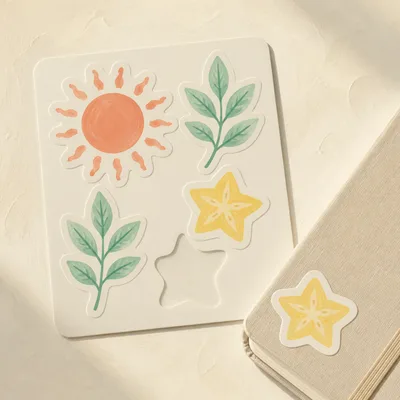
A sheet of illustrated digital stickers on a tablet.

The weekend plan

Saturday morningPick one theme and plan 6–12 small items.
Saturday afternoonDraw or generate them, then finish them in one style.
Sunday morningExport transparent PNGs at 300 dpi and bundle a GoodNotes sheet.
Sunday afternoonWrite terms of use, make previews and publish the listing.

The checklist, step by step

  1. Pick a theme set

    6–12 small illustrations around one trend.

    • One theme, for example mushrooms, cosy autumn or bows
    • A list of 6–12 items
    • One colour palette for the whole set

    In Sidecrafts: Elias shows rising themes and keeps the set small.

  2. Draw or generate, then finish

    Make every sticker look like part of one set.

    • Same line weight and palette on every item
    • Transparent background
    • 300 dpi PNG

    In Sidecrafts: Elias checks that the set is consistent.

  3. Bundle the files

    One GoodNotes sheet plus single PNGs.

    • One sticker sheet for GoodNotes
    • Single PNGs, zipped if needed
    • Five files at most, each under 20 MB

    In Sidecrafts: Elias checks the files against Etsy’s limits.

  4. Write clear terms of use

    Tell buyers what they may do with your stickers.

    • Personal use, or small commercial use with limits
    • Terms in the listing and inside the download

    In Sidecrafts: Elias offers a plain-language terms template.

  5. Make previews

    Show the stickers where buyers will use them.

    • One preview on a tablet screen
    • One on a mug or shirt mockup
    • One showing every sticker in the set

    In Sidecrafts: Elias reminds you which previews buyers expect.

  6. Write the listing

    Say what is included and how to use it.

    • Number of stickers and file types listed
    • Apps it works with: GoodNotes, Cricut
    • AI use disclosed, if you used AI

    In Sidecrafts: Elias checks title, tags and the AI disclosure.

Sounds like a lot? It is. That’s why you won’t do it alone.

You don’t need to remember any of this. Elias walks you through every step, checklist by checklist, so you don’t miss a thing. You bring the ideas. He handles the rest.

Take the 5-minute quiz and help us launch Sidecrafts faster